
Best OLED Monitors for 1440p Gaming
As an Amazon Associate, I earn from qualifying purchases. Some links may earn us a commission at no extra cost to you.
For 1440p gaming, OLED is all about instant response, true blacks, and clarity in motion—but you still need to pick the right combo of refresh rate, panel type (WOLED vs QD-OLED), ports, and burn-in protections/warranty.
Top picks
Alienware AW2725DF — Best overall for competitive 1440p (360Hz QD-OLED)
If I want the “do-it-all” pick for fast shooters at 1440p, this is my default: 360Hz plus QD-OLED contrast and color pop. Why it wins: Dell explicitly lists 3-year Advanced Exchange + Premium Panel Exchange, including OLED burn-in coverage.

- QD-OLED technology enables stunningly rich color and clarity, while QHD resolution (2560x1440) provides high level of detail.
- 360Hz refresh rate translates to superb motion clarity, empowering players to see and react to in-game situations at high speed.
- 0.03 ms gray-to-gray minimum response time** virtually eliminates blurring and ghosting and keeps latency to an absolute minimum.

Pros
-
360Hz is elite for motion clarity at 1440p
-
QD-OLED delivers strong color and contrast
-
Burn-in coverage is clearly stated (rarely this explicit)
Cons
-
Glossy-ish look can reflect light in bright rooms
-
You’ll want a strong GPU to really use 360Hz
Trade-offs / Who should skip (failure cases)
-
Skip if your room is very bright and reflections annoy you.
-
Skip if you mostly play slower single-player games—240Hz may be plenty.
Scores: Performance 5/5 • Refresh rate 5/5 • Ease of Use 4/5 • Value 4/5
ASUS ROG Swift OLED PG27AQDP — Best for esports max refresh (480Hz WOLED)
This one is for people who care about the highest 1440p OLED refresh rate. Why it wins: ASUS markets it as a 1440p 480Hz OLED with 0.03ms response.
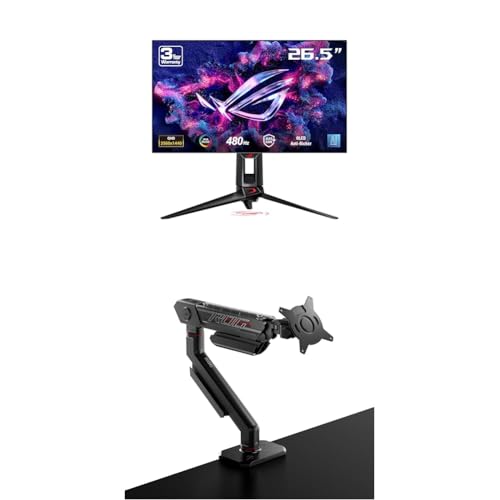
- World’s first 1440P 480Hz OLED gaming monitor
- 26.5” QHD 480Hz WOLED gaming monitor with 0.03ms response time for sharp and ultra-fast gaming visuals
- Exclusive gaming AI assistant to help you better navigate your gaming experience
Pros
-
480Hz is the current “ceiling” for 1440p OLED smoothness
-
Excellent for esports motion + input feel
-
OLED response keeps fast motion crisp
Cons
-
Diminishing returns if you can’t push very high FPS
-
Often overkill for casual / story-first gaming
Trade-offs / Who should skip (failure cases)
-
Skip if you play mostly at 120–200 FPS—go 240–360Hz and save the hassle.
-
Skip if your priority is productivity text clarity over pure gaming.
Scores: Performance 5/5 • Refresh rate 5/5 • Ease of Use 4/5 • Value 3/5
ASUS ROG Swift OLED PG27AQDM — Best WOLED 240Hz “balanced” gaming pick
A strong all-around 1440p OLED that’s still a favorite in performance-focused reviews. Why it wins: 240Hz, plus ASUS’s stated peak brightness behavior and burn-in risk-reduction design notes; Rtings also highlights excellent response/refresh compliance for PC gaming.
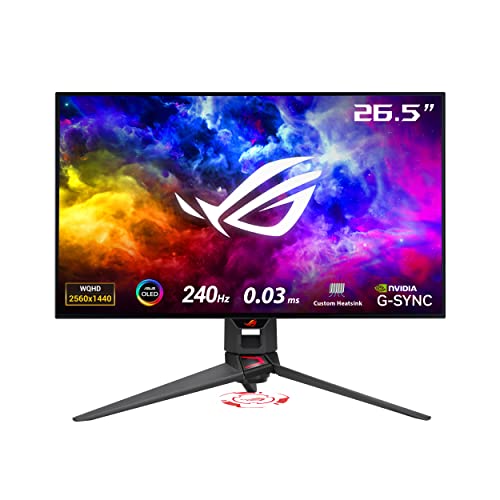
- 26.5-inch QHD (2560 x 1440) OLED gaming monitor with 240 Hz refresh rate for immersive gaming
- Highly efficient custom heatsink, plus intelligent voltage optimization for better heat management to reduce the risk of burn-in
- Anti-glare micro-texture coating reduces reflections for accurate colors and better viewing experiences
Pros
-
240Hz is plenty for most competitive + mixed gaming
-
Very fast response (OLED advantage)
-
Strong HDR “pop” for an OLED monitor class
Cons
-
Still needs sensible OLED care to minimize burn-in risk
-
Not as “max competitive” as 360–480Hz options
Trade-offs / Who should skip (failure cases)
-
Skip if you only play esports and want the absolute highest Hz.
-
Skip if you want QD-OLED’s color style specifically.
Scores: Performance 4/5 • Refresh rate 4/5 • Ease of Use 4/5 • Value 4/5
MSI MPG 271QRX QD-OLED — Best features + console-friendly HDMI 2.1 (360Hz)
A 360Hz QD-OLED option that leans hard into modern connectivity and protections. Why it wins: MSI lists 2560×1440 QD-OLED, 360Hz, 0.03ms, plus HDMI 2.1 (48Gbps) with VRR/ALLM and OLED care features.

- Next-Gen QD-OLED Panel – With stunning image quality and fast response time.
- Fastest 0.03ms GtG response time and 360Hz refresh rate.
- QD Premium Color – Ensures the color meets the market standard – Delta E≤2.
Pros
-
360Hz for top-tier PC smoothness
-
HDMI 2.1 feature set is great for console setups
-
QD-OLED color and contrast look fantastic in games
Cons
-
Settings depth can feel like a lot at first
-
Like all OLEDs, static HUD-heavy use needs basic care
Trade-offs / Who should skip (failure cases)
-
Skip if you want the simplest “plug in and forget” menus.
-
Skip if you mostly do static desktop work all day.
Scores: Performance 5/5 • Refresh rate 5/5 • Ease of Use 3/5 • Value 4/5
LG 27GR95QE-B — Best value 240Hz OLED (often the easiest deal to find)
This is a popular “first OLED monitor” choice: 27-inch, 1440p, 240Hz, OLED response. Why it wins: it’s widely available and tends to be the model I see most often priced aggressively versus newer 360Hz/480Hz flagships.

- 27" QHD (2560 x 1440) OLED Display - Bring big time color to the screen. The LG UltraGear OLED 27" display lets you explore HDR content the way it was meant to be seen with DCI-P3 98.5%—an elevated color spectrum that showcases brilliant color.Specific uses for product - Gaming
- 240Hz Refresh Rate - Gear up for smooth gameplay with an ultra-fast 240Hz OLED display. The faster speed lets you respond quickly to opponents and stay a step ahead of the competition.
- 0.03ms (GtG) Response Time - Enjoy smoother scenes with less lag or ghosting thanks to LG UltraGear OLED's nearly instantaneous 0.03ms (GtG) response time.
Pros
-
240Hz OLED is a huge upgrade from LCD for motion
-
Great contrast for darker games and night play
-
Usually, the most approachable OLED entry point
Cons
-
Not as bright as some newer OLED generations
-
HDR impact varies a lot by room lighting
Trade-offs / Who should skip (failure cases)
-
Skip if you’re chasing maximum competitive Hz (360/480).
-
Skip if you game in a very bright room and hate dimmer HDR.
Scores: Performance 4/5 • Refresh rate 4/5 • Ease of Use 4/5 • Value 5/5
Quick compare
-
Best overall competitive: Alienware AW2725DF
-
Fastest esports option: ASUS PG27AQDP (480Hz)
-
Best balanced WOLED: ASUS PG27AQDM
-
Best feature-heavy QD-OLED: MSI MPG 271QRX
-
Best value 240Hz: LG 27GR95QE-B
Buying guide
1) Pick your target refresh rate based on the games you actually play
-
240Hz: plenty for most people; huge OLED upgrade from LCD
-
360Hz: ideal if you grind shooters and can push high FPS
-
480Hz: niche esports flex—amazing, but only worth it if your FPS and skill focus match
2) WOLED vs QD-OLED (the practical difference)
-
QD-OLED: often feels more “color-pop,” great for vibrant games
-
WOLED: often the safer “neutral” pick and widely supported in 27″ 1440p OLED
3) Ports matter more than people think
If you’ll use a console, look for HDMI 2.1 + VRR support. For PC, prioritize DisplayPort and your GPU’s ability to actually hit your monitor’s Hz.
4) OLED reality check: burn-in risk is manageable, not imaginary
If you play the same HUD-heavy game for thousands of hours, choose a model with strong warranty language and built-in OLED care tools, and use basic habits (screen sleep, hide static bars when possible).
FAQs
Is OLED worth it for 1440p gaming vs a fast IPS?
If you care about motion clarity and contrast, yes—OLED’s near-instant response can make 1440p feel cleaner in motion than many LCDs, even at similar refresh rates.
Should I buy 240Hz, 360Hz, or 480Hz?
-
Get 240Hz if you want the best value and still play competitive games.
-
Get 360Hz if you actually push high FPS in esports titles.
-
Get 480Hz only if you’re chasing every last edge and your PC can feed it.
What size is best at 1440p?
For most desks, 27-inch is the sweet spot: sharp enough without scaling hassles, and OLED looks great at typical viewing distances.
As an Amazon Associate, I earn from qualifying purchases.